A lot of teams already run their content calendar in Notion — a row per post, a caption, a date, an approval status. The gap is the last step: someone still has to open each network at the right time and paste the post in. This n8n template closes that gap. Every 15 minutes it reads the rows you’ve marked Approved, and for any whose time has arrived it schedules the post across your accounts through Posta — then writes the status and the live post URL back into the same Notion row. Notion stays your source of truth; n8n and Posta do the publishing.
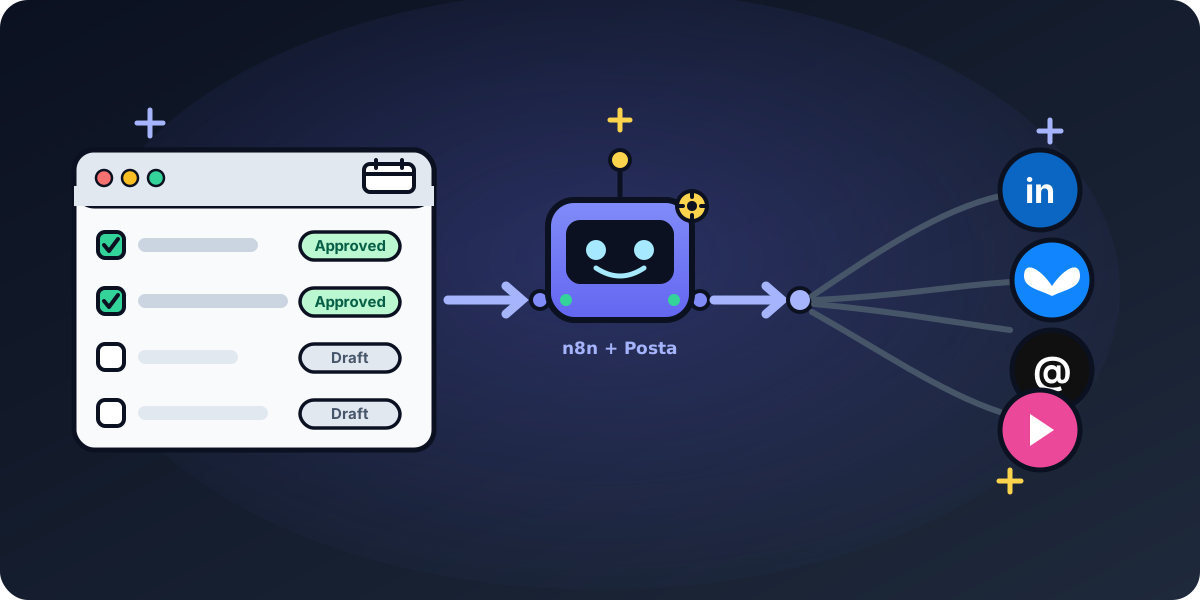
What it does
It’s a small, sturdy loop with no moving parts you have to babysit: a schedule trigger, a Notion read, a filter, two Posta calls, and a Notion write-back. Because the last step flips the row out of Approved, the next run skips it — so nothing ever publishes twice, even if a run overlaps.
Set up your Notion database
The template reads simplified Notion output, so it references your columns by name. Your content-calendar database needs:
- Caption (Text) — the post body.
- Social Accounts (Multi-select) — each option’s name is a Posta social account id (grab them from the Get many social accounts Posta node). This is how one row fans out to several networks.
- Scheduled At (Date, with time) — when the post should go live.
- Status (Select) — at least
ApprovedandScheduled. - Posta URL (URL) — written back automatically after scheduling, so the row links to the live post.
How the workflow runs
- Schedule trigger — fires every 15 minutes (tighten or loosen to taste).
- Get rows (Notion) — pulls the pages in your content-calendar database.
- Filter — keeps only rows where
Status = ApprovedandScheduled Atis within the next 15 minutes. - Create a post (Posta) — uses the row’s
Social AccountsandCaptionto create the post as a draft, fanning out to every selected network in one call. - Schedule a post (Posta) — schedules that draft for the row’s
Scheduled Attime. - Mark row Scheduled (Notion) — flips
Statusto Scheduled and writes the Posta post URL back. The row is no longer Approved, so the next run leaves it alone.
Why the typed Posta node, not a raw HTTP node
You could wire this up with n8n’s generic HTTP Request node, but you’d re-implement a lot by hand. The Posta community node gives you:
- One call, many networks. Pass several
socialAccountIdsand Posta fans the post out — you don’t loop per platform. - Per-platform formatting for free. Posta auto-crops media to each network’s aspect ratios and enforces caption limits, so one Notion row works everywhere.
- Typed inputs and credential management. Caption, accounts, and schedule are proper node fields with one reusable Posta credential — no token-juggling in HTTP headers.
- A clean two-step contract. Create the draft, then schedule it — the same shape documented in the REST API reference.
Make it your own
- Prefer Airtable? Swap the two Notion nodes for Airtable Search + Update record — the field mapping is identical.
- Want per-platform voices from one source caption? Add a
Regenerate With AIcheckbox column and route checked rows through an LLM node that rewrites the caption per network before Create a post. - Attaching media? Upload it to Posta first with the Upload media node and pass the returned id via Create post’s Additional Fields → Media IDs.
Get the template
Import it from the n8n template library, or browse all of Posta’s ready-to-fork n8n workflows. Coming from a task-priced tool? The same calendar-to-social shape is the migration story in replace Zapier social media with n8n + Posta. 14-day free Posta trial, no credit card — covers all eight networks.